One feature in OneDrive is pushing Android users away from Google Drive
A locked storage area with built-in scanning and cross-device access is changing how people manage sensitive files on their phones.
By Fatima Saleh ·
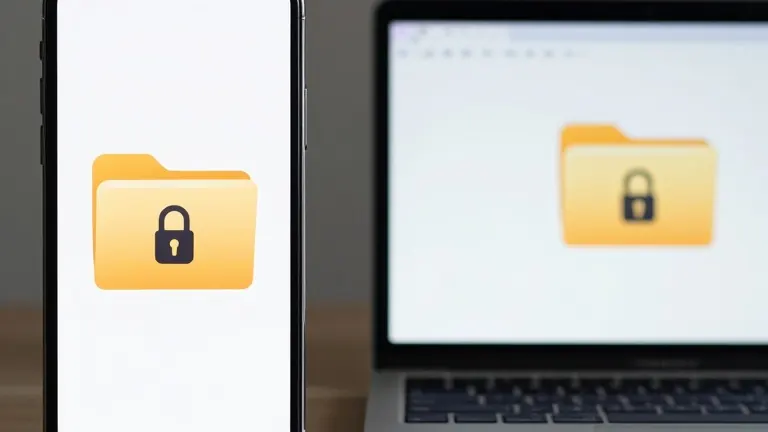
One specific feature has convinced an Android user to abandon Google Drive for Microsoft OneDrive. The writer, who relies on cloud storage for work and personal records, identified Personal Vault as the deciding factor in the switch.
The move stems from a need to separate confidential documents from everyday files. The user stores financial records, identity documents, and insurance policies in the cloud. In Google Drive, these files sat in the same directory as travel itineraries and photos. A dedicated folder in Google Drive offered no extra protection. Anyone with access to an unlocked phone could browse the sensitive material.
OneDrive Personal Vault solves this by creating a protected space that requires identity verification. After the initial setup, the user accesses the vault using biometric authentication on Android. This extra layer of security allows the user to keep confidential items safe without fragmenting their storage workflow into third-party apps or device-specific tools like Samsung’s Secure Folder.
The automatic locking mechanism is a core part of the appeal. OneDrive locks the vault after a period of inactivity. The user can customize the timeout interval in the app settings. This feature removes the need to remember to manually secure the folder after every use. The writer notes that this automatic behavior provides a level of peace of mind that manual encryption does not offer.
The built-in document scanner also changed the workflow for digitizing physical papers. Previously, the user scanned documents with a separate app and uploaded them to Google Drive. This process often left sensitive copies in the phone’s gallery. Now, the user scans documents directly into Personal Vault from the OneDrive app. This allows for the digitization of bank statements and driver’s licenses without leaving temporary files in the phone's standard storage.
Integration with Windows desktops adds another layer of utility. Personal Vault appears in File Explorer alongside other OneDrive folders. The user unlocks the vault using Windows Hello or a device PIN. This allows for standard file management, including editing and browsing, on a PC. The feature also functions through the OneDrive web interface, which is useful for users working on MacBooks.
The cross-platform availability distinguishes Personal Vault from device-specific solutions. The writer prefers this flexibility over tools that restrict data to a single ecosystem. The ability to access the same protected files on an Android phone, a Windows desktop, and a web browser creates a seamless experience. This connectivity is a primary reason for the preference over local storage options.
Google Drive remains a functional cloud service, but the writer notes the absence of a similar native feature. The user does not plan to switch back until Google offers a comparable alternative. The decision to switch was driven by a single, specific need for enhanced security and convenience in one place.